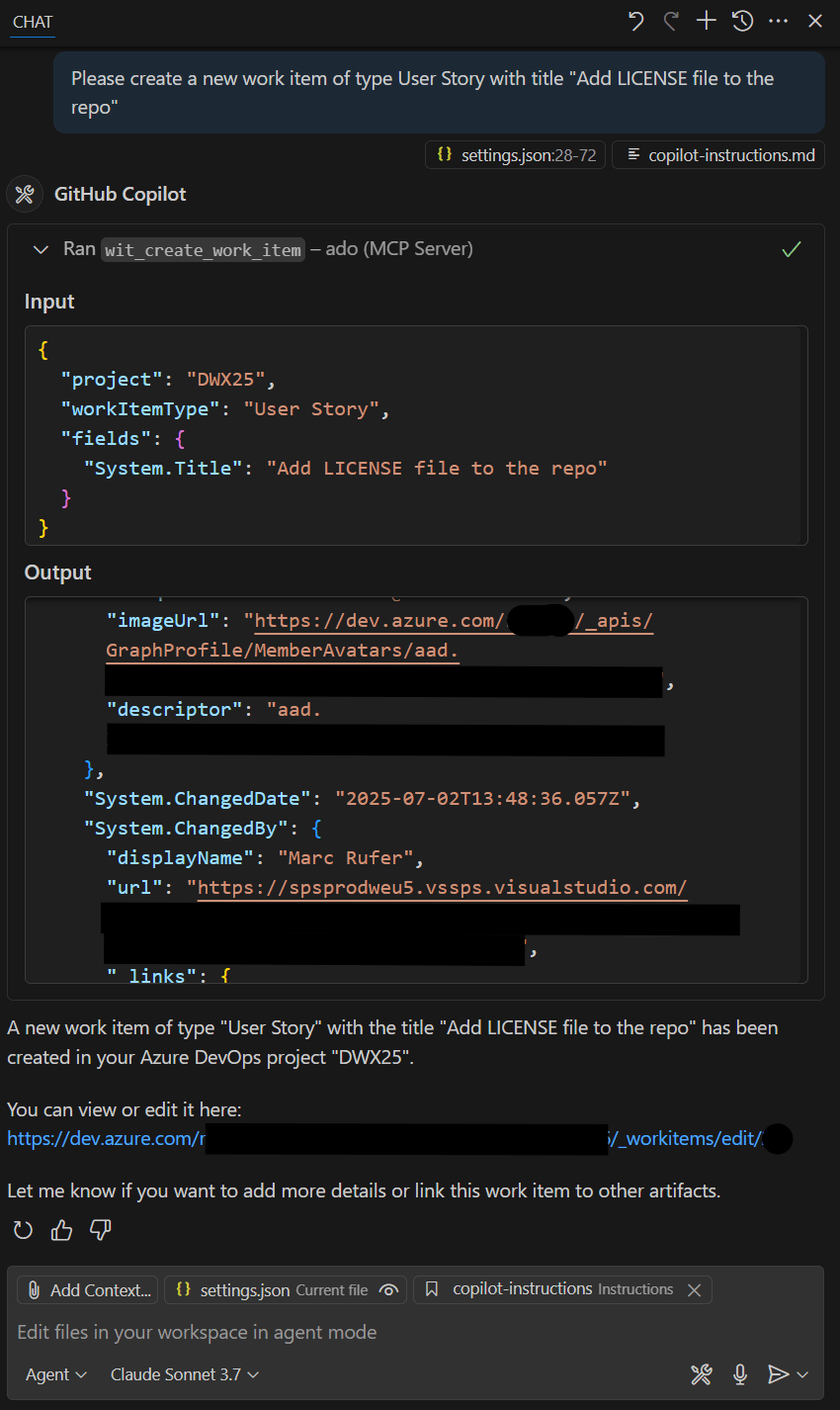
While preparing my session for DWX 2025, in which I demonstrated a simple use case for Azure DevOps MCP Server (creating a user story from within the IDE), I came up with some other interesting use cases for the daily work of a developer. Now that I have tested them, I will outline the use cases I have discovered in this blog post.
Tools and versions
The use cases below were tested with the following tools and versions.
- Visual Studio Code (
1.101.2) or Visual Studio Code – Insiders (1.102.0-insider) - GitHub Copilot (
Agentmode in latest version) - Azure DevOps MCP Server (
0.1.0)
Note
In the sections below, I assume that the Azure DevOps MCP Server is installed and started.
For more details about the supported tools, installation, troubleshooting, samples and best practices check out the official GitHub repository.
Let’s dive straight into the use cases.
#1 – Create a user story
As a developer, you always come across places during development that need to be revisited outside of the scope of the current feature or bugfix (i.e. improvement, change or even something that is missing). To create a user story in Azure DevOps without leaving the IDE, just open GitHub Copilot Chat, switch to Agent mode, enter the following prompt and follow the conversation.
Please create a new work item of type User Story with title "DESIRED_TITLE_HERE"


The second example is about the creation of a user story from a TODO.


If you additionally want to add a task to the newly created user story, use the following or a similar prompt.
Please add a task to the before created user story with title "DESIRED_TITLE_HERE"
#2 – Change status of a work item
Let’s assume there is a user story with title Add Copilot instructions and that you just committed and pushed the .github\instructions\copilot-instructions.md file as part of the repository setup directly to the main branch (without creating a pull request). If you want to close the corresponding user story directly within the IDE, just open GitHub Copilot Chat, switch to Agent mode, enter the following prompt and follow the conversation.
Please change status of user story regarding adding copilot instructions to closed
This is especially useful if you don’t know the exact title of the corresponding user story.


#3 – List all work items not completed that are assigned to the current user
Another useful use case is to query all not yet completed work items within the current project that are assigned to the current user.
Please list all not completed work items assigned to me from the current project

#4 – Get summary of the conversation on a work item
Sometimes it’s useful to get a summary respectively the output of a conversation on a given work item.
What is the output of the comments of User Story with id #5?


#5 – Implement a work item
I have only tested this use case for very simple tasks so far. To let GitHub Copilot provide a possible implementation for the user story the conversation is about, just open GitHub Copilot Chat, switch to Agent mode, enter the following prompt and follow the conversation.
Please implement the user story

In this particular case, the result was absolutely fine. Therefore, I committed and pushed the changes to a newly created feature branch.
#6 – Create pull request
As a use case that builds on #5, we let GitHub Copilot create the pull request for us. Again without leaving the IDE – again without a context switch!
Can you please create a pull request for the current branch?


Summary and thoughts
The results of the use cases are quite impressive. I particularly like the fact that context switches can be reduced. However, there are some things to be considered when using MCP servers.
Advices / Tips
– Do not blindly trust
– Carefully review the output
– Carefully review every tool run before accepting it (check and verify the request body)
– The use cases are especially feasible for small tasks
– Ensure quality assurance processes are in place and enforced (i.e. SonarQube cloud and peer reviews)
I’ll try out further use cases. For example, if Azure DevOps MCP Server can be used to improve developer experience with active pull request comments. Stay tuned.


Leave a Reply